
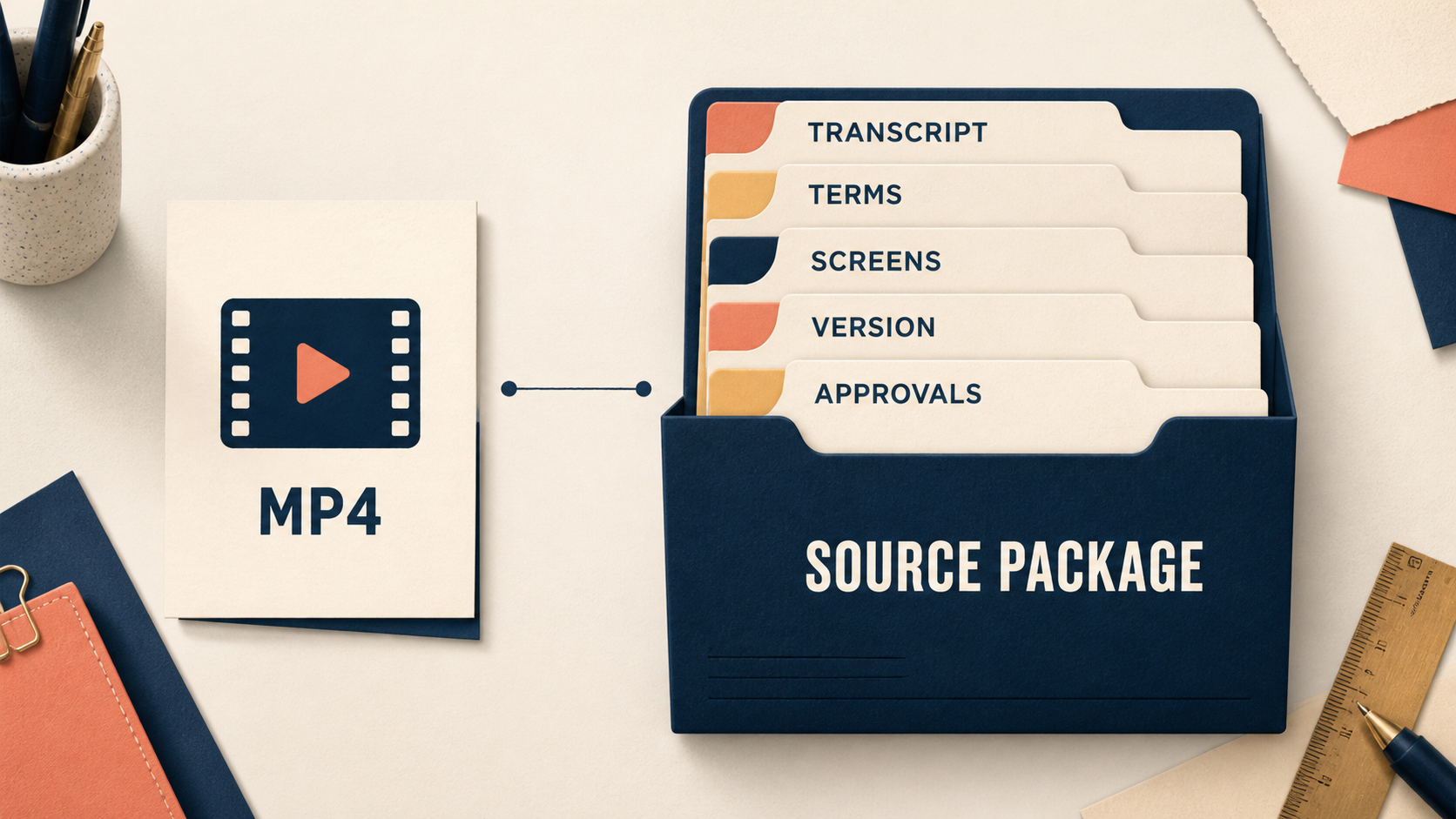
An English course team finishes a polished lesson, exports an MP4, and sends it to a local editor with one sentence: “Please make the China version.” The file plays. That is useful, but it is not enough information to decide what may be changed, what must remain faithful, or how anyone will know whether the next version is still the same lesson.
The distinction matters most when a course changes frequently. A screen recording may contain an old tool interface. The speaker may use a product term that should remain in English. A diagram may be editable, while a customer quotation embedded in a slide may not be cleared for reuse. None of those decisions can be made from a finished video alone.
Tencent Cloud’s media documentation is a helpful reminder of the problem’s shape: it lists subtitles, terminology/hot words, summaries, tags and clipping as separate media-processing capabilities, and separately distinguishes ASR subtitles, OCR extraction and subtitle-file translation. Those pages establish that different operations exist. They do not tell a team what it is allowed to change or whether an output is fit for teaching. That is the course owner’s responsibility.
The useful question is not “Can this be translated?”
Ask instead: Can another editor understand the inputs, boundaries and acceptance test without guessing?
That question changes the handoff. A video-only delivery is an output. A localization source package is a controlled record of the inputs and decisions behind that output. It does not have to be large or bureaucratic. It has to remove the expensive kind of ambiguity: the ambiguity that creates a confident but wrong Chinese course version.
This article is not about whether any particular tool is available, accurate or suitable for an overseas creator. It is about the working materials a team should identify before it asks a tool or editor to do work.
A minimum source package
For a normal lesson, use a small package with six parts.
1. The reference output
Include the current approved video and its lesson title, duration, version date and source owner. The point is not merely to provide a file. It is to say, “This is the version against which changes will be checked.”
If the original has a known defect, label it. Otherwise a local editor may spend time reproducing an error because it appears to be intentional.
2. The editable language layer
Provide the best available transcript, caption file or time-coded script. If none exists, say so plainly. Do not pretend that a machine transcript is an approved script.
The reason is practical. ASR, OCR and subtitle-file translation solve different extraction problems. A spoken explanation, a UI label trapped in pixels and a deliberately written caption each need a different review. A transcript gives the editor something to compare; it does not settle how a term should be translated.
3. The terminology and “do not change” list
Make a one-page table: source term, preferred display, explanation for the learner, owner, and whether the term may be translated. Add names of products, methods, people, companies and proprietary frameworks that require careful handling.
This belongs beside, not inside, the caption file. Captions tell an editor what was spoken. A terminology record tells the editor which alterations would change meaning.
4. The screen and asset inventory
List each important slide, worksheet, browser screen or diagram. For each item, record whether an editable source exists, whether it is current, and whether it can be adapted. A static screenshot may be acceptable in a short preview; it is a weak input for a course that will need revision every quarter.
5. The change boundary
Write down the allowed intervention: subtitles only, subtitles plus examples, narration changes, screenshots, exercises, or a full restructured lesson. Also name the person who can approve a meaning-changing edit.
Without this line, an editor faces two bad choices: preserve an unsuitable example because it was not explicitly cleared, or localize too aggressively and accidentally rewrite the expert’s method.
6. The acceptance check
Before work starts, decide what “done” means. It might be: the Chinese captions match the approved transcript; terminology follows the current ledger; screens are readable; the approved reviewer has checked all marked meaning changes; and the package records the source version used.
This is not a claim that learners will understand, buy or complete the course. It is only a check that the promised localization work is traceable.
A constructed example: the missing screen source
Consider a 38-minute AI lesson. Its MP4 is clear. Halfway through, the instructor demonstrates a workflow in a tool whose interface has changed. The editor can translate the narration, but the English screenshots no longer match the steps. A caption-only brief would hide the problem until late in the process.
With a source package, the screen inventory marks the demo as “outdated; editable screen capture unavailable.” The owner then has a real decision: re-record the segment, add a dated note, replace the example, or omit the lesson from the first test. That is a better result than pretending a video file made the choice disappear.
This is a constructed scenario, not an OriBridge client case or a claim about any platform.
When a single file is enough
Not every asset needs the full apparatus. A short internal preview with no captions, no planned adaptation and no learner-facing promise may only need the current video and a clear instruction not to modify it. A one-time event recording can also have a narrow handoff if it will not become a maintained course asset.
The package becomes important when the material will be translated, edited, taught again, sold, reused or reviewed by someone who was not present when it was made.
Do not confuse the package with permission
A beautifully organized folder does not grant copyright, translation, voice, likeness, software-screenshot or distribution permission. It does not establish that a course can be published in China, that an account can be opened, or that a buyer wants the product. Those are separate questions.
It does, however, make those questions visible. That is why a source package is valuable: it converts “please localize this video” into a record of what exists, what is missing and who must decide.
A handoff checklist before the first edit
- Is the reference video version identified?
- Is the transcript/caption input labelled as approved, draft or machine-generated?
- Are terms, product names and prohibited edits recorded?
- Can every important screen or worksheet be replaced if it changes?
- Is the permitted scope of editing explicit?
- Does one named reviewer own meaning-changing decisions?
- Is there a simple acceptance test and source-version record?
If two or more answers are “no,” do not call the asset localization-ready. Treat it as a discovery task first.
A handoff state card
For the constructed 38-minute lesson above, a usable internal card could say: asset: “Workflow lesson 03”; current version: “English approved export, 2026-08-24”; editable: “captions yes, slide source partial, screen capture no”; change boundary: “Chinese captions and approved examples only”; reviewer: “course owner”; acceptance evidence: “time-coded caption review and versioned change log.”
The value is not the particular labels. It is that an editor can see, before work begins, which part of the lesson is still a decision rather than a production instruction. If the screen capture needs to change, the card sends the question back to the owner instead of letting a localizer improvise the method.
What to preserve after approval
Once the first localized version is approved, keep the source-package card with the released asset. Do not replace it with a clean final folder. A later editor needs to know which transcript, screen state and terminology record produced the accepted version. If an original lesson changes, open a new card instead of silently reusing the old approval. This makes comparison possible without claiming that all change is harmless.
For a broader dependency check, use the course dependency and terminology inventory. For questions that go beyond the file package—such as delivery, access and support—use the end-to-end path test. These records serve different decisions and should not be substituted for one another.
Map a bounded source-package review before your first China-facing test.
The handoff is complete only when the next person can identify the approved input and the limits of their authority.
If that person has to infer either from the exported video, the team has transferred a file, not a controlled learning asset.
That distinction saves a later reviewer from reconstructing intent after a version has already been released.
Before the next edit begins, confirm that the card names the source version, the change boundary and the reviewer. That thirty-second check catches the most expensive handoff failure: an editor changing a learning asset without knowing which judgment remains with its owner.